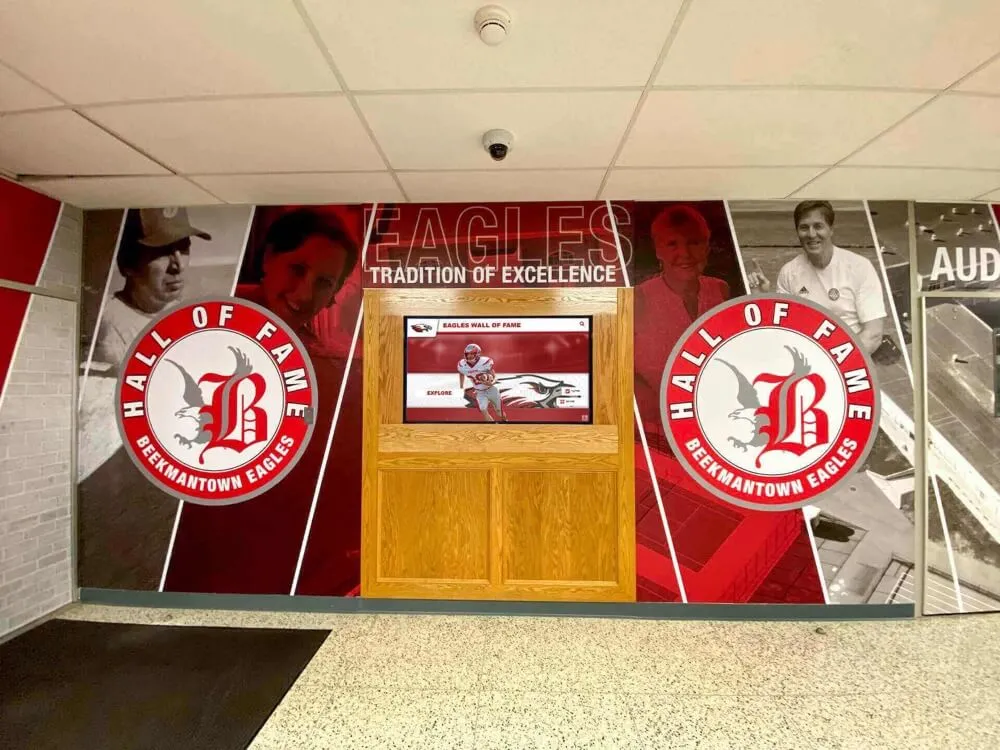
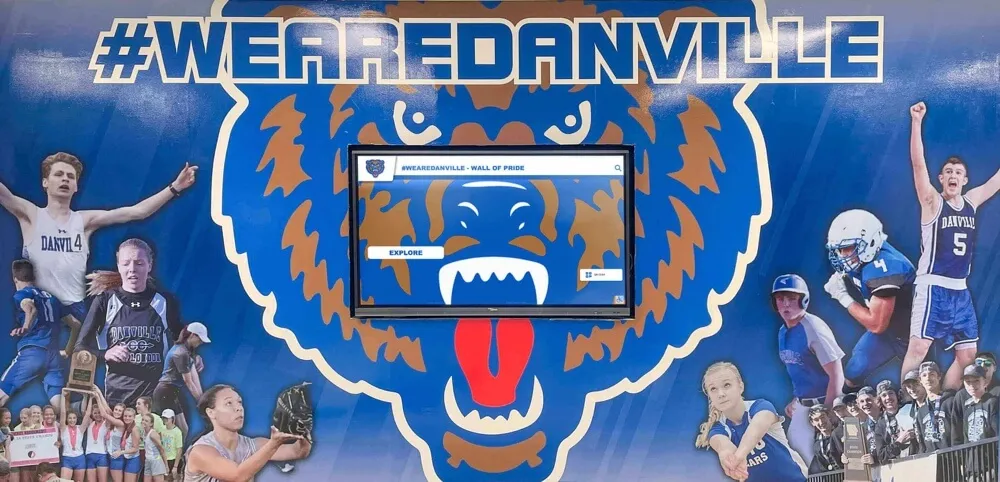
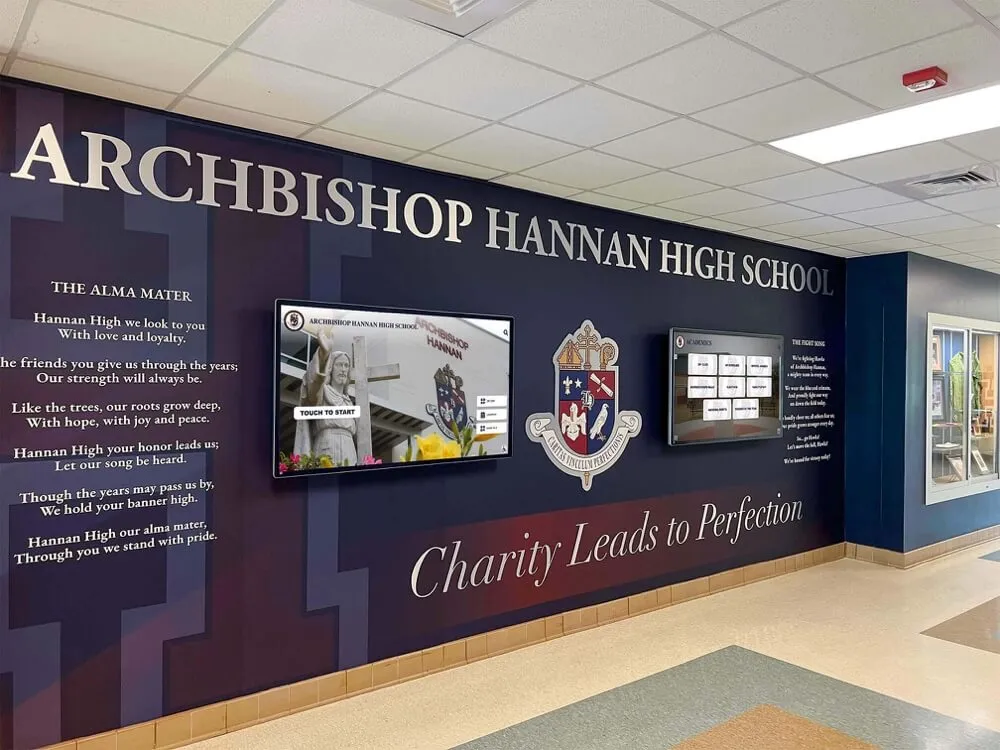
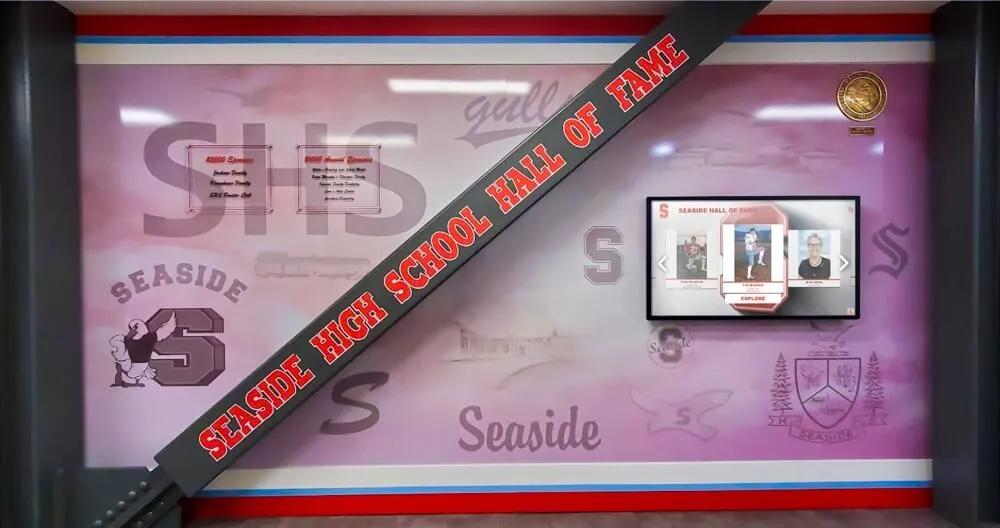
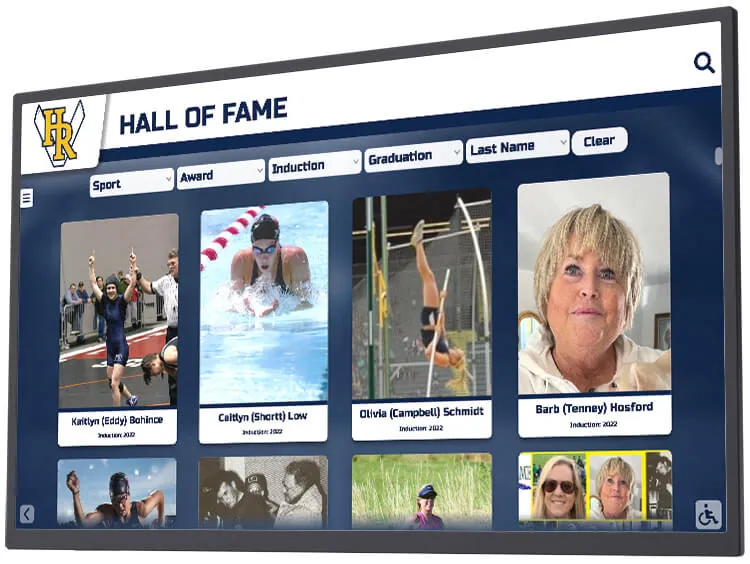
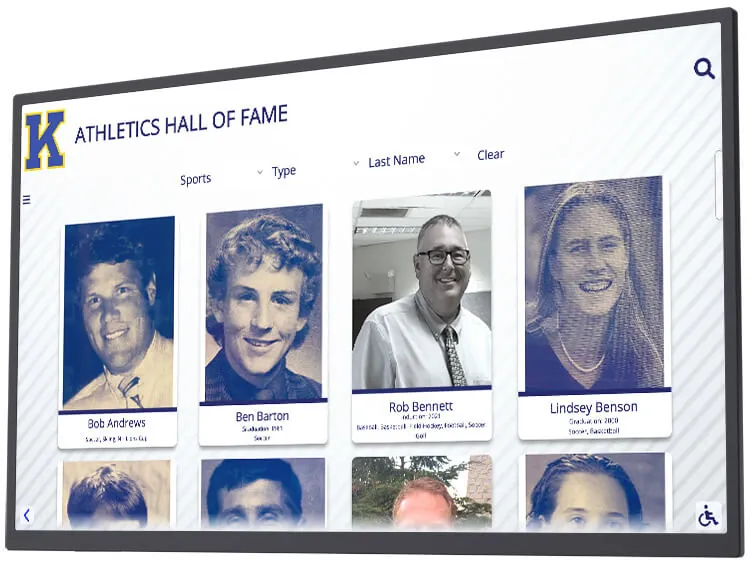
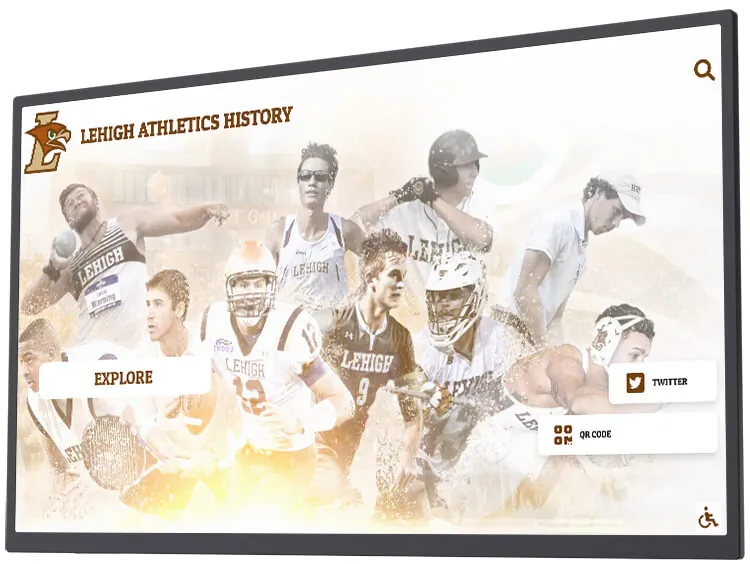
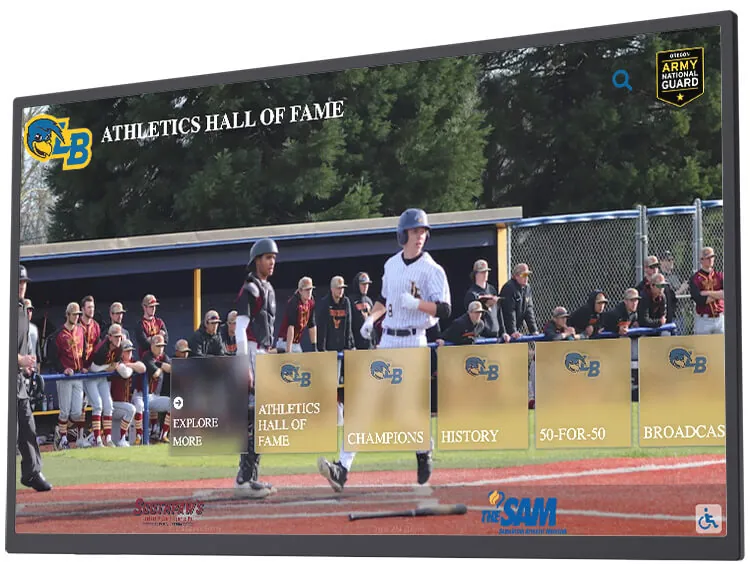
Plans tailored to you
Unlimited Fun
Fast, Reliable, Secure
Dedicated Customer Success Manager
No Hidden Fees
Weekly Improvements
24/7 Unlimited Support (Boston Based)
Unlimited Folders
70+ Templated Image & Video Layouts
Custom Motion Graphics
Touchscreen Access
Website Access
Mobile Access
Searchable Database
Easy “Rapid Install”
No IT Team Necessary
Unlimited Fun
Fast, Reliable, Secure
Dedicated Customer Success Manager
No Hidden Fees
Weekly Improvements
24/7 Unlimited Support (Boston Based)
Unlimited Folders
70+ Templated Image & Video Layouts
Custom Motion Graphics
Touchscreen Access
Website Access
Mobile Access
Searchable Database
Easy “Rapid Install”
No IT Team Necessary
Unlimited Fun
Fast, Reliable, Secure
Dedicated Customer Success Manager
No Hidden Fees
Weekly Improvements
24/7 Unlimited Support (Boston Based)
Unlimited Folders
70+ Templated Image & Video Layouts
Custom Motion Graphics
Touchscreen Access
Website Access
Mobile Access
Searchable Database
Easy “Rapid Install”
No IT Team Necessary
Unlimited Fun
Fast, Reliable, Secure
Dedicated Customer Success Manager
No Hidden Fees
Weekly Improvements
24/7 Unlimited Support (Boston Based)
Unlimited Folders
70+ Templated Image & Video Layouts
Custom Motion Graphics
Touchscreen Access
Website Access
Mobile Access
Searchable Database
Easy “Rapid Install”
No IT Team Necessary
Unlimited Fun
Fast, Reliable, Secure
Dedicated Customer Success Manager
No Hidden Fees
Weekly Improvements
24/7 Unlimited Support (Boston Based)
Unlimited Folders
70+ Templated Image & Video Layouts
Custom Motion Graphics
Touchscreen Access
Website Access
Mobile Access
Searchable Database
Easy “Rapid Install”
No IT Team Necessary
Unlimited Fun
Fast, Reliable, Secure
Dedicated Customer Success Manager
No Hidden Fees
Weekly Improvements
24/7 Unlimited Support (Boston Based)
Unlimited Folders
70+ Templated Image & Video Layouts
Custom Motion Graphics
Touchscreen Access
Website Access
Mobile Access
Searchable Database
Easy “Rapid Install”
No IT Team Necessary
Interested in a meeting with our team?
Questions?
Trusted by 600+
From the PGA Tour, to all levels of college athletics, to public and private high schools large and small


















































See the Power of Rocket
Whether you're a large college or a local high school, our digital showcase software is your solution.
8.9.0
Release Date: 8/18/2026
New Features
- You can now link sponsor logos to published profiles, so visitors can open sponsor details directly from presenting sponsor and sponsor bar displays.
- Easy Submit now sends a feedback survey 30 minutes after a request is completed, using the same email or text conversation.
Bug Fixes
- The CMS image editor once again supports cropping, rotating, resetting, keyboard controls, and background removal in one editing flow.
- Fixed Image Gallery home buttons so all selected images remain after a refresh.
- Fixed PDF conversion status so it keeps updating until converted pages are ready.
- Fixed portal attachment uploads for filenames with special characters, with clear feedback when an upload fails.
- Fixed Easy Submit email handling for forwarded customer requests so the correct customer, school, and request details are used.
- Fixed Easy Submit email branding and copy across site selection, staff replies, receipts, and feedback surveys.
8.8.0
Release Date: 8/17/2026
New Features
- Keyboard and screen reader users can now navigate more touchscreen and CMS controls, including media, records, carousels, dialogs, and flipbooks.
- Easy Submit now sends branded email and text updates when a request is received or completed, with a direct link to the school’s site when available.
- People who sign up for Easy Submit text updates now receive a Rocket contact card they can save, making future messages easier to recognize.
8.7.11
Release Date: 8/14/2026
New Features
- You can now remove image backgrounds directly from the media library with a focused editing flow.
- PDFs in the customer portal now show live conversion progress and update automatically when they are ready.
- The support chat now recognizes signed-in administrators, so conversations can start with the right account context.
- Five Column homepages now scroll automatically when there is more content than fits on screen.
Bug Fixes
- Fixed PDF processing cards so long filenames no longer change their width or cause horizontal overflow.
- Fixed sponsor logos that appeared too small on phones.
8.7.5
Release Date: 8/12/2026
New Features
- You can now upload videos up to 150 MB in the CMS.
- Keyboard focus indicators are now clearer and more consistent in the CMS and touchscreen experience.
8.5.5
Release Date: 8/11/2026
New Features
- You can now show or hide tie indicators for each record collection while keeping ranks and grouping intact.
Bug Fixes
- Calendar widgets now load more reliably from slower calendar providers.
8.7.1
Release Date: 8/11/2026
New Features
- You can now track PDF conversion progress in the media library and yearbook pages, with clear queued, processing, and error states.
Bug Fixes
- Fixed card highlight outlines so they wrap the full card.
- Fixed card contrast backgrounds so cover images remain visible while text stays readable.
8.4.55
Release Date: 8/7/2026
New Features
- Improved touchscreen usability and reliability.
8.4.54
Release Date: 8/4/2026
New Features
- Portrait touchscreen layouts now keep content easier to reach and read.
Bug Fixes
- Rocket Cast screens now retry scheduled content updates after a temporary connection failure.
8.4.53
Release Date: 8/3/2026
New Features
- Rocket Cast displays now pick up content changes more reliably
8.4.52
Release Date: 8/1/2026
New Features
- Eligible Highlight Reels are now easier to discover from the Customer Portal home page, with direct links for each school you manage.
Bug Fixes
- Authorized administrators can now remove CMS users from the Customer Portal without deletion requests failing.
8.4.51
Release Date: 7/30/2026
New Features
- More accurate duplicate detection in the bulk data importer.
Bug Fixes
- The bulk data importer no longer flags rows as duplicates when they only share a name — rows are now only flagged when they match exactly.
8.4.48
Release Date: 7/29/2026
New Features
- Rocket Cast now plays content in the exact order you arrange it, with support for schedules and more content types including PDFs, announcements, and Google Slides.
- Rocket Cast displays now send regular status check-ins, making it easier to monitor what each display is playing.
- Cleaner text styling for Rocket Cast announcements.
Bug Fixes
- Fixed duplicate announcements showing up in Rocket Cast rotations.
- File names no longer appear as titles on Rocket Cast content.
8.4.49
Release Date: 7/29/2026
New Features
- Rocket Cast roll-out improvements.
8.4.50
Release Date: 7/29/2026
New Features
- A new guided bulk data importer is rolling out to select customers — upload a spreadsheet, match your columns, and review everything before it goes live.
- Scanning a QR code on your touchscreen now gives you a cleaner, phone-friendly experience with proper zoom support on your personal device.
Bug Fixes
- Improved reliability of Rocket Cast display monitoring.
8.4.47
Release Date: 7/28/2026
New Features
- Added a new short Pennant size option for more flexible displays
- Refreshed Pennant theme colors for a more polished look
- Faster touchscreen load times with smaller downloads
Bug Fixes
- Fixed Jersey display sizing and responsiveness
8.4.46
Release Date: 7/27/2026
New Features
- Pennant setup is clearer, with better labels, year formatting, and inline editing.
- Split-Screen Spotlight pages now scroll more reliably through changing content.
- Touchscreen pages load faster with smaller stylesheets and optimized 3D assets.
8.4.44
Release Date: 7/24/2026
New Features
- Added a new Jersey style for beta Pennant layouts
- Touchscreen description links can now be opened on a phone by scanning a QR code
- Calendar events now display full start and end times
- Improved touchscreen accessibility controls, yearbook search, and offline media reliability
8.4.45
Release Date: 7/24/2026
New Features
- Search controls are now easier to reach on portrait touchscreen displays.
- Split-Screen Spotlight pages now keep auto-scrolling more reliably.
- Improved sign-in reliability for staff accounts.
8.4.43
Release Date: 7/20/2026
New Features
- Improved offline support so touchscreen media is ready more reliably on the first visit
- Improved accessibility across touchscreen and CMS workflows
- Improved reliability for backup-site access and app updates
8.4.42
Release Date: 7/16/2026
New Features
- Rocket Cast now plays uploaded MP4 profile videos directly and advances when each video ends.
- You can now choose whether Classic Fade profile cards show a dark fade overlay from the CMS.
8.4.41
Release Date: 7/15/2026
New Features
- Split-Screen Spotlight now keeps category headings in sync as profiles rotate.
Bug Fixes
- Improved slideshow stability when a spotlight contains a single profile.
- Improved beta Pennant rollout reliability.
8.4.40
Release Date: 7/9/2026
New Features
- Improved layout consistency across touchscreen and CMS experiences.
- General presentation and reliability improvements.
Bug Fixes
- Fixed an issue where Split-Screen Spotlight pages could stop scrolling after content refreshed.
8.4.39
Release Date: 7/6/2026
New Features
- Eligible sites can now add a Face Search home button so visitors can start face search directly from the home screen.
- Category descriptions now have cleaner styling for better readability.
Bug Fixes
- Improved scrolling for long Pennant banner descriptions on mobile.
8.4.38
Release Date: 6/26/2026
New Features
- The CMS assistant sidebar now has more room, making it easier to work with assistant responses while previewing the site.
- RocketCast description-based slides now present text more cleanly, especially when a slide does not include a photo.
8.4.37
Release Date: 6/23/2026
New Features
- Improved media upload support in the CMS assistant.
- Improved copy and move flows for record collections.
- General CMS reliability improvements.
8.4.36
Release Date: 6/18/2026
New Features
- Improved slideshow image presentation for wide photos.
- Improved Easy Edit accessibility and focus behavior.
- Improved accessibility across touchscreen experiences.
8.4.35
Release Date: 6/16/2026
New Features
- Improved touchscreen navigation and layout behavior across more screen sizes.
- Improved CMS editing flows with better keyboard accessibility and easier filtering.
- Smoother touchscreen presentation behavior across carousels, profiles, and side menus.
Bug Fixes
- Fixed layout issues affecting large portrait profile views.
8.4.34
Release Date: 6/15/2026
New Features
- General layout and accessibility improvements across touchscreen experiences.
- Improved loading behavior for category cards and profile pages.
- General CMS usability improvements.
8.4.33
Release Date: 6/6/2026
New Features
- Improved reliability for touchscreen search keyboards.
8.4.31
Release Date: 6/5/2026
New Features
- You can now add homepage screensaver videos that play after a touchscreen has been idle, with separate landscape and portrait videos for different display orientations.
Bug Fixes
- Fixed an issue where Simple Header profile pages could look washed out on light profile backgrounds.
- Fixed an issue where older photos could not be reordered in your homepage slideshow.
8.4.32
Release Date: 6/5/2026
New Features
- Improved reliability for custom profile ordering.
8.4.30
Release Date: 6/4/2026
New Features
- General usability improvements across touchscreen layouts
- Improved Bulk Editor feedback for completed updates
- General reliability improvements
8.4.29
Release Date: 6/2/2026
New Features
- Touchscreen category banners now center automatically when a folder has three or fewer, for a more balanced layout.
- Improved accessibility across the content editor — rich-text dialogs, folder creation, and multi-step forms are easier to use with a keyboard and screen reader.
Bug Fixes
- Bulk imports now show a clear error message when a record can't be added, instead of failing silently.
- Improved reliability when uploading files to your Media Library.
8.4.28
Release Date: 6/1/2026
New Features
- Improved profile image rendering on portrait and mobile layouts
Bug Fixes
- Fixed an issue where profile headshots could appear cropped on portrait and mobile profile layouts
8.4.27
Release Date: 5/29/2026
New Features
- Improved accessibility across the Calendar, Photo Booth, and on-screen keyboard widgets — better screen-reader support, clearer focus styles, and live status announcements during photo capture.
8.4.26
Release Date: 5/27/2026
New Features
- Polished the Category View experience on portrait touchscreens — refined button placement, two-column card grid, and centered horizontal scrollers at large-portrait sizes.
- Cleaner Records layout — translucent grid, redesigned group headers with a colored stripe in your Header Stripe Color, and a softer treatment for non-primary stats on Nameplates.
Bug Fixes
- Fixed an issue where the second image in a slideshow could appear cropped after the first slide.
8.4.25
Release Date: 5/26/2026
New Features
- Rocket Cast now supports a custom screen title that stays put as slides advance.
- Rocket Cast slides can optionally display the entry's description text alongside the photo and attributes.
Bug Fixes
- Yearbook page navigation now lands on the correct two-page spread when jumping via the slider, chapter list, search, or a shared link.
- Home buttons on the Centered Text home layout are now consistently clickable.
- Restored click and keyboard access in the link and image pickers inside the rich-text editor.
- Version History now shows readable labels for entries without a name — record-style entries display their value (and year when available) instead of a raw ID, and the schema placeholder no longer surfaces as a first name.
8.4.23
Release Date: 5/21/2026
New Features
- You can now hide the description preview on Timeline category cards — the photo expands to fill the freed space.
Bug Fixes
- Flipbook page slider now lines up with the actual last page on short PDFs.
- Records layout no longer gets overlapped by the side menu when it is open.
8.4.24
Release Date: 5/21/2026
New Features
- Added a new Multi-Image Gallery home button widget so you can showcase a set of photos straight from the home screen.
8.4.22
Release Date: 5/20/2026
New Features
- Attribute filters are now available on mobile category views.
- Web search bar gives you a bit more time before it auto-closes.
Bug Fixes
- Improved reliability of category card sizing on small screens.
8.4.21
Release Date: 5/18/2026
New Features
- Faster home page load times — touchscreens now reach an interactive home screen noticeably quicker.
Bug Fixes
- Donation Widget home buttons now save reliably and stay put after editing.
- Subcategory tiles render correctly when switching between portrait and landscape screen sizes.
8.4.20
Release Date: 5/14/2026
New Features
- Improved layout of the accessibility filter bar on long, image-heavy pages.
Bug Fixes
- Skip-to-main-content link now stays reachable when navigating with a keyboard.
8.4.19
Release Date: 5/13/2026
New Features
- Improved touchscreen carousel accessibility for keyboard and screen-reader users.
- Faster, smoother scrolling on long touchscreen pages.
Bug Fixes
- Folder background images now refresh reliably when navigating between folders.
- Paper Cards icons render without flicker on slower connections.
8.4.18
Release Date: 5/12/2026
New Features
- Improved keyboard and screen reader support across touchscreen home buttons, slideshow backgrounds, and grouped CMS form selects.
Bug Fixes
- Skip links now stay reachable when a CMS dialog is open, so keyboard users can reliably jump back to main content.
- You can now remove a manually selected folder icon from the Paper Cards layout right from the icon picker.
8.4.17
Release Date: 5/11/2026
New Features
- Improved keyboard and screen reader support for dialogs and menus.
- Improved folder card placeholder visibility for a cleaner visual experience.
Bug Fixes
- Fixed large Twitter feeds so they load more reliably.
- Fixed category List cards so attribute text stays neatly inside each card.
- Fixed Twitter feed updates so renamed accounts refresh without restarting the touchscreen.
8.4.15
Release Date: 5/6/2026
New Features
- Rocket Rally now has a simpler submission flow: visitors can upload media and add an optional description without filling out extra profile fields.
Bug Fixes
- Fixed record layouts so long lists scroll more smoothly and display correctly in cast views.
8.4.16
Release Date: 5/6/2026
New Features
- Large photo galleries now load faster and stay responsive, even when an entry contains thousands of images.
- Portrait touchscreen home screens now have improved navigation and card placement on large vertical displays.
- Improved CMS accessibility for dialogs, tabs, dropdowns, selects, and popovers.
Bug Fixes
- Fixed record rows so long lists scroll more reliably.
- Fixed empty photo folder cards so they stay readable on dark-themed sites.
8.4.14
Release Date: 5/4/2026
New Features
- Improved search result ordering so higher-relevance matches are easier to find.
Bug Fixes
- Fixed hidden media from appearing in search results.
- Fixed an issue where the Explore card could disappear from Home page folder carousels.
- Fixed banner text editing so link picker fields can be clicked and pasted into reliably.
8.4.13
Release Date: 5/4/2026
New Features
- Improved touchscreen category loading so your displays stay quick and responsive when navigating between sections, even on busy days.
Bug Fixes
- Fixed an issue where record layouts could bounce or shift while loading, giving you a calmer, steadier scroll experience.
- Fixed Flipbook to preserve the natural proportions of images with mixed aspect ratios — no more stretched or distorted photos.
- Restored click-through on folder and profile cards when you click and hold briefly before releasing the mouse button.
8.4.12
Release Date: 5/1/2026
New Features
- Preview your site in portrait, landscape, or mobile right inside the editor — a new orientation toggle next to the Manage Site menu lets you flip between views in real time without leaving the editor or saving first.
- Pill Cards layouts now have a dedicated Show Icons toggle, so you decide when icons appear. Existing Pill Cards default to no icons, eliminating leftover icons that could carry over after switching from an Icon Cards layout.
Bug Fixes
- Strengthened the Recently Deleted area of the Media Library with a clearer permanent delete action and an unmistakable "this cannot be undone" confirmation for both single-item and bulk deletes.
- Fixed an issue where reloading the editor while previewing in portrait or mobile mode could drop you into touchscreen view and hide the editor controls.
8.4.11
Release Date: 4/29/2026
New Features
- Introducing Donation home page widgets and profile layouts — your supporters can now scan a QR code or follow a custom campaign link to give back, right from your touchscreens and mobile site.
- The CMS now warns you when a category has attributes configured but hidden from display, so you never lose track of fields you intend to show.
- Slideshow controls for media-only layouts now give you finer control over hiding text versus hiding effects.
Bug Fixes
- Fixed media search results that could show empty photo sections.
- Fixed assistant display tables so they render inline and preserve their original row ordering.
- Card attribute lines now display email and URL values as plain text where expected, keeping profile cards clean.
- Improved accessibility for heading fallbacks and screen-reader-only content across the site.
8.4.10
Release Date: 4/27/2026
New Features
- Improved accessibility of dropdown menus and select controls with better keyboard navigation indicators
- Upgraded scrolling engine for smoother performance on long lists
- Improved reliability of site navigation and URL handling
8.4.9
Release Date: 4/23/2026
New Features
- Introducing Paper Cards — a new folder card style with refreshed visuals and an optional textured finish.
- You can now pick a Secondary Color in the CMS to fine-tune folder card accents.
- Added a Show Card Texture toggle to supported folder card styles.
- Added a Hide Folder Card Names option for Logo Cards.
8.4.8
Release Date: 4/21/2026
New Features
- Version History in the CMS now highlights what actually changed, showing attribute-level before and after values for every revision.
- Pasting rich content into the WYSIWYG editor now preserves your formatting, including links.
8.4.7
Release Date: 4/17/2026
New Features
- Sales Hub demo mode now includes a portrait/landscape orientation toggle, making it easier to preview touchscreen experiences in the right orientation.
Bug Fixes
- The Header Options button now appears consistently, regardless of the home layout you have configured.
8.4.6
Release Date: 4/15/2026
New Features
- Sponsors now appear on mobile when browsing category pages, making it easier to see your sponsors on any device
Bug Fixes
- Fixed an issue where the page header could be cut off when zoomed in
8.4.5
Release Date: 4/14/2026
New Features
- Improved search performance and responsiveness on touchscreen kiosks
- Cleaned up media upload options for a streamlined experience
Bug Fixes
- Fixed an issue where CMS buttons could overlap the search close button
8.4.4
Release Date: 4/13/2026
New Features
- Search has been completely redesigned with a new layout, on-screen keyboard, and highlighted top results for faster content discovery.
- You can now upload images directly from search.
- Improved Version History dialog with clearer labels for easier content management.
Bug Fixes
- Fixed the search keyboard being cut off on smaller screens and portrait orientations.
- Fixed search results overflowing on narrow screens.
8.4.3
Release Date: 4/10/2026
New Features
- You can now view and revert content changes with the new Version History feature in the CMS toolbar
- Search results now include a Media filter to quickly find photos and videos
- Logo Cards layout is now the first option in the categories layout selector
Bug Fixes
- Fixed an issue where overlapping calendar events could be silently dropped
- Improved touch responsiveness on buttons and navigation elements
- Improved Classic navigation layout on narrow screens
8.4.1
Release Date: 4/3/2026
New Features
- You can now display dates in Month/Year format for date-type record columns
Bug Fixes
- Fixed an issue where site content could refresh unnecessarily, causing brief interruptions
- Improved search reliability — results now load more consistently without stale data appearing
- Renamed "Edit Announcements" to "Edit Homepage Photos" for clearer navigation
8.4.2
Release Date: 4/3/2026
New Features
- Introducing the Recognition Operations Hub — a dedicated workspace in your admin portal for building and managing recognition outreach programs, tracking coach progress across seasons and sports, and coordinating submissions across your organization
- The Rocket AI Assistant can now manage your home screen carousel — ask it to add or remove categories from your homepage slideshow
- The Rocket AI Assistant now includes smarter safeguards for bulk content edits, guiding you to the most efficient editing approach for large updates
- Significantly faster search performance across your touchscreen and admin portal
Bug Fixes
- Fixed an issue where homepage changes made through the Rocket AI Assistant were not reflected until the next page refresh
- Fixed a recurring on-screen notification that appeared on certain LG display models
- Improved image and photo handling when sharing files with the Rocket AI Assistant — uploaded images now display correctly in conversation history
- Search results now update more reliably when typing quickly
8.4.0
Release Date: 3/31/2026
New Features
- Added a safety reminder overlay to the AR Photo Booth that displays supervision and awareness tips before use
- You can now set decimal places for number columns in your records — perfect for stats like batting averages (0.400) or GPAs (3.50)
- The Add Content menu now shows scroll indicators so you can easily see when there are more options below
Bug Fixes
- Fixed a visual glitch where dropdown menus could briefly flash scroll indicators when reopened
- Fixed font styling in the AR Photo Booth safety message
8.3.1
Release Date: 3/26/2026
New Features
- You can now filter touchscreen search results by category using new search filter bubbles
- Easy Edit now opens header settings directly for faster customization
- Home button list auto-scrolls to show newly added buttons
Bug Fixes
- Fixed an issue where record items were not highlighted correctly after being added
- Fixed default profile image incorrectly appearing on portrait slideshow layouts
- Improved image quality on touchscreen displays
8.3.2
Release Date: 3/26/2026
New Features
- Improved Vimeo video embed security and reliability on touchscreen displays
- Improved icon loading experience when browsing icon families
Bug Fixes
- Fixed folder card icons not displaying the correct style
- Fixed folder name and description edits not saving on nested subcategories
- Fixed Vimeo embeds not loading for unlisted videos
8.3.3
Release Date: 3/26/2026
New Features
- Added the ability to override low performance mode detection for specific sites, giving you more control over your display experience
- Improved performance monitoring and diagnostics for faster issue resolution
Bug Fixes
- Fixed a brief black frame that appeared before video playback on kiosk displays
- Fixed presenting sponsor text not centering correctly on multi-line labels
8.2.1
Release Date: 3/25/2026
New Features
- Improved search accuracy when looking up content by alternative names.
- Enhanced analytics tracking for Rocket AI Assistant interactions.
Bug Fixes
- Fixed an issue where exported Excel files could display unexpected characters in cell values.
- Improved social feed reliability with faster content refresh.
8.3.0
Release Date: 3/25/2026
New Features
- Expanded icon library with hundreds of additional icon styles and options for customizing your categories.
8.1.0
Release Date: 3/24/2026
New Features
- Introducing the Rocket AI Assistant — an interactive chat experience on your touchscreen that helps visitors navigate and explore your content
- Conversation history lets visitors pick up right where they left off
- Visitors can now share images directly with the AI Assistant for richer interactions
8.2.0
Release Date: 3/24/2026
New Features
- The Rocket AI Assistant can now display structured tables with sorting, copy-to-clipboard, and Excel export for organized data views.
- New portrait mode display layouts support a wider range of kiosk screen configurations.
Bug Fixes
- Improved icon assignment accuracy — categories with low-confidence matches now default to the site logo for a cleaner look.
8.0.45
Release Date: 3/20/2026
New Features
- Improved Rocket Rally form reliability with consistent date field handling across categories
8.0.44
Release Date: 3/19/2026
New Features
- Profile submission forms now dynamically display category-specific fields like graduation year, event date, and activity type, with support for custom labels and media uploads.
- Home buttons can now be edited directly from the touchscreen preview without enabling Easy Edit mode.
- Faster initial page load with a smoother loading transition that eliminates the brief black screen on startup.
Bug Fixes
- Fixed an issue where profile submission forms could ignore category-specific field settings.
- Fixed an issue where certain category pages could fail to load.
- Improved accuracy of touchscreen usage analytics.
- Improved long-running kiosk stability by fixing background timer issues that could affect performance over time.
8.0.42
Release Date: 3/18/2026
New Features
- Improved scheduling experience with smarter defaults and clearer date and time inputs
Bug Fixes
- Improved internal performance and code modernization
8.0.43
Release Date: 3/18/2026
New Features
- Improved reliability when navigating between pages
Bug Fixes
- Fixed an issue where visiting certain pages could cause an unexpected error
8.0.39
Release Date: 3/17/2026
New Features
- Slideshow-only portrait profiles now display with a cleaner, more focused layout that highlights your media content
Bug Fixes
- Improved carousel styling consistency across different profile card types
- Fixed an issue where the CMS sidebar could crash when loading color palettes
- Improved application performance and memory management for smoother touchscreen navigation
- Fixed layout spacing inconsistencies in slideshow-only profile views
8.0.40
Release Date: 3/17/2026
New Features
- Rocket Rally is now available as a home button, letting visitors submit their own profiles directly from the touchscreen.
- Touchscreen buttons and confetti animations now include haptic feedback on personal devices for a more engaging experience.
- When scanning a QR code on iPhone, the Safari browser bar now matches your school's primary color for a fully branded experience.
- Searching for banners now takes you directly to the correct category page.
Bug Fixes
- Improved performance on content-heavy pages with smoother rendering and faster navigation.
- Fixed a display issue where background colors could appear inconsistent in certain viewport areas.
8.0.41
Release Date: 3/17/2026
New Features
- Rocket Rally now shows all available categories when configuring the home button, making setup easier and more flexible.
Bug Fixes
- Fixed Rocket Rally category selection to correctly display only the relevant folders.
8.0.38
Release Date: 3/16/2026
New Features
- You can now customize how long each announcement slide displays before advancing, with adjustable duration from 1 to 60 seconds
Bug Fixes
- Kiosks now reflect the latest content updates after deployments without requiring a manual refresh
- Fixed an issue where the text editor could lose focus when opened on top of another dialog
8.0.37
Release Date: 3/13/2026
New Features
- Championship banners and pennants now display in the homepage carousel alongside athlete profiles
- Support contact information is now shown on the Rocket Cast setup screen for easier troubleshooting
- The sidebar now automatically navigates to the correct tab when editing content inline
- Streamlined home button editing with a modernized interface
Bug Fixes
- Faster app loading with optimized icon packaging and reduced bundle size
- Improved touch responsiveness on kiosk hardware
- Fixed an issue where the screen could navigate unexpectedly after leaving a page
- Improved date handling reliability across the application
8.0.35
Release Date: 3/11/2026
New Features
- Faster page loads and smoother navigation across the touchscreen experience
- Improved reliability and resiliency of background services
Bug Fixes
- Fixed a memory leak that could impact long-running touchscreen sessions
- Fixed an issue where sponsor logos could appear with squared edges
8.0.36
Release Date: 3/11/2026
New Features
- You can now schedule entries and categories to publish or unpublish at a future date and time
- The Split-Screen Spotlight layout now auto-scrolls for a more dynamic display experience
Bug Fixes
- Improved auto-scroll speed and smoothness across layouts
- Improved scheduling interface with better toggle behavior and streamlined controls
8.0.32
Release Date: 3/10/2026
New Features
- Improved overall application stability and performance
Bug Fixes
- Resolved errors impacting user sessions for a smoother browsing experience
- Improved flipbook search reliability
8.0.33
Release Date: 3/10/2026
New Features
- Improved home button editing reliability in the CMS.
Bug Fixes
- Fixed an issue where certain home buttons could not be edited from the CMS sidebar.
8.0.34
Release Date: 3/10/2026
New Features
- Improved home button editing reliability for older touchscreen configurations
8.0.30
Release Date: 3/6/2026
New Features
- Improved text formatting consistency in entry descriptions — headings with custom colors now display at the correct size.
8.0.31
Release Date: 3/6/2026
New Features
- The home button editor has been completely redesigned with a streamlined editing experience and built-in service connection support for Twitter and Calendar integrations.
- You can now edit touchscreen content directly by clicking on it — no need to open the sidebar. This new inline editing experience makes content management faster and more intuitive.
- Significantly improved Photobooth AR performance on touchscreen hardware with smarter resource management and instant model switching.
Bug Fixes
- Fixed an issue where editing one home button could unintentionally change other buttons.
- Fixed a display issue where the screen could briefly render incorrectly after a window resize.
8.0.29
Release Date: 3/5/2026
New Features
- You can now move or copy record columns between categories using the Bulk Record Editor.
- Search highlights are now available in Gallery and Slideshow layouts, making it easier to find specific content when searching.
Bug Fixes
- Fixed an issue where the media library dialog did not fill the full container height.
- Fixed an issue where switching category types could result in an error for certain layouts.
- Fixed an issue with name formatting not preserving uppercase terms inside parentheses.
- Improved overall application stability and error handling.
8.0.28
Release Date: 3/3/2026
New Features
- Improved reliability of profile creation in the CMS.
Bug Fixes
- Fixed an issue where the CMS could become unresponsive when quickly creating new profiles.
- Fixed an issue where clicking non-active slides in the carousel home layout did not navigate correctly.
8.0.26
Release Date: 3/2/2026
New Features
- Home buttons are now available on Carousel and Carousel 2 home screen layouts.
- The CMS sidebar has been redesigned with collapsible sections for a cleaner, more organized editing experience.
Bug Fixes
- Fixed an issue where selected files in the media library were lost when navigating between pages.
- Fixed a layout issue on the Split Screen Spotlight where content could be cut off at the bottom of the screen.
8.0.27
Release Date: 3/2/2026
New Features
- You can now customize the "Explore More" button text on Scrolling Folders and Static Folders home layouts from the CMS.
- Dragging a media file into a folder now moves all selected files at once, not just the one being dragged.
Bug Fixes
- Fixed an issue where sponsor bar carousels would briefly flash when editing unrelated fields in the CMS.
- Improved internal state management resiliency.